
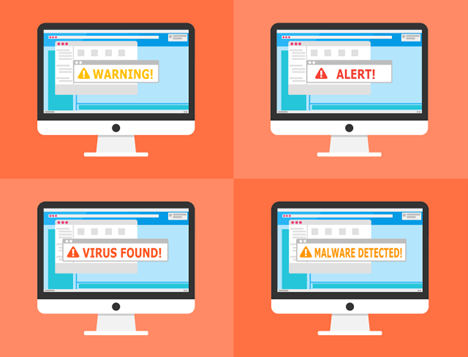
You’ve heard the word: Malware. It’s somewhat of a ‘catch-all’ that covers everything bad that crooks are using to invade your network. It comes in many forms, and one very common type which is gaining more momentum these days is ‘malvertising.’ It’s cropping up everywhere, including websites and social media sites in particular and, more insidiously, Google search results.
It’s no secret that employees fritter away time online, but which U.S. office worker does NOT use Google Search for legitimate business reasons? They may be searching in earnest, but they see a very tempting ad for something. What’s the harm in taking a quick look? Could be plenty of harm.
Malvertising is even more dangerous because of two things:
1: Hackers use AI to make it very believable.
2: It’s on the rise, according to Malwarebytes. In the fall of 2023, malvertising increased by 42% (month over month) and even more so the following 2 years.
You need to inform yourself about this online threat just to maintain your own cybersecurity. Knowledge is the power to protect yourself, especially when it comes to malicious cybercriminals. Below we put forth some particulars to help you understand malvertising. We’ll also give you tips on identifying and avoiding it.
What is malvertising?
Malvertising refers to malicious advertising that is used to inject malware into users' computers when they visit a website or click on an ad on the internet It’s an online phenomenon and is exactly what it sounds like: The use of online ads for malicious activities. For example, when the PlayStation 5 was first released, it was very hard to get, which created the perfect environment for lowlife cybercriminals who created malicious ads offering the public what they want.
Phony ads for PlayStation 5 started appearing on Google searches. The ads made it look like you’d be going to an official site but lured you to copycat sites. Criminals design these sites to steal user credentials and credit card details.
Google does attempt to police its ads, but hackers can often have their ads running for hours or days before they’re caught. These ads appear just as any other sponsored search ad on Google.
Google is not alone in this. Malvertising appears on various well-known and trusted sites that have been hacked. It can also appear on social media feeds.
How to prevent malvertising?
Red flags can be as obvious as slight misspelling in an online ad’s URL (like ‘www.microsft.com’), or a dubious address suffix – for example, government agencies end in ‘.gov.’ – nothing else, unless followed by a forward slash – it will NEVER be ‘gov.usa.’ Just like phishing, malvertising often relies on copycat websites, and these ads want to get you to go to them. Carefully review any links for things that look off.
DO NOT use provided links to visit websites
If an offer looks interesting, search online for the company offering the deal and go directly to their website. If they truly are having a ‘big sale,’ you should see it prominently displayed there. The link provided in the ad is a trap. Usually just clicking it means your goose is already cooked. This tip is useful for all types of phishing. Don’t just click those links or open email attachments) - go to the source directly.
Enable DNS filtering
By protecting you from mistaken clicks, DNS filters can be lifesavers. The filter will redirect your browser to a warning page if it detects danger. DNS filters look for warning signs and then block dangerous sites. This can keep you safe even if you accidentally click a malvertising link. Your IT support can do this easily.
Be aware that the DNS filter may occasionally warn you about perfectly legitimate sites, which can be annoying. Better safe than sorry.
DO NOT log in after clicking an ad
Hackers want your login credentials. The copycat site that malvertising will take you to wants you to give them up. The login page may look identical to the real thing. They can get big money for logins to sites like Netflix, banks, and more.
If you are foolish enough to click an ad, do not input your login credentials on the site. Even if the site looks legitimate. Go to the brand’s site in a different browser tab.
DO NOT call ad phone numbers
Hackers will sometimes take you offline, so some malicious ads include phone numbers to call. Unsuspecting victims may not realize fake representatives are part of these scams. Yep, “Operators are standing by” – to ROB you. Seniors are often targeted with malvertising scams. They call and reveal personal information to the person on the other end of the line.
So, never ever call the numbers in online ads. If you do find yourself on a call, do not reveal any personal data. Just hang up. Remember, this is an elaborate scam. These people prey on triggers like fear. They also work to gain your trust.
Due to the strength of AI these days, an additional danger is that they may record you so they can create scams using your voice to target your known family and associates.
DO NOT download anything from an ad
If you clicked the malicious link, you are already knee deep in the quicksand Clicking on ‘Free Windows 11 Download or Click HERE,’ or ‘Get a Free PC Cleaner’ makes you sink faster. These common malvertising scams try to entice you into clicking a download link. It’s often for a popular program or freebie. The link actually injects your system with malware, allowing the hacker to run rampant.
If you see an ad with a direct download link, it’s often a scam. As stated above, go to the website directly. If the free download is legit, it will be there.
Warn others when you see malvertising
Don’t keep it to yourself. Remember: Sharing is Caring. Keep your community and business safe by warning others when you see a suspicious ad – if at work, notify your IT services provider. This helps keep your colleagues, friends, and family more secure. If you’re unsure, try a Google search on the ad. You’ll often run across scam alerts confirming your suspicion.
Although you may not want to let anyone know that you were shopping instead of working, it’s important to let IT support know about it if you did click something you shouldn’t have.
Arm yourself with knowledge, share it with others. Foster this type of cyber-aware community – especially at work. It helps everyone ensure better online security as well as get alerted of new scams cropping up.
Frequently Asked Questions
How do you get rid of malvertising?
Call your IT people. Install reliable antivirus (AV) software that can detect and neutralize threats like malvertising. These programs offer real-time protection against various types of malware, including ransomware, spyware and adware, which often accompany malvertising attacks. Don’t waste your time with any ‘free antivirus.’ You get what you pay for.
How do I open my DNS settings?
This is simple. DNS settings are specified in the TCP/IP Properties window for the selected network connection. Go to the Control Panel. Click Network and Internet > Network and Sharing Center > Change adapter settings. Google’s Developer Program will lead you through it HERE.
Can malvertising track your keystrokes?
Yes, under certain circumstances: If delivered via malvertising, spyware can silently monitor user activities and steal sensitive information, such as login details and personal data. This software can track your browsing habits, record your keystrokes, and send this information back to cybercriminals without your knowledge.
What is the scariest computer virus?
With the emergence of MyDoom in 2004, it soon became widely considered to be the most dangerous computer virus in history. It spread quickly through email, infecting millions of computers and causing billions of dollars in damage.
Like many common cyber-tactics, it used deceptive language to trick users into opening a file attachment that appeared to be harmless.
How secure is your network?
As a longstanding, reputable member of the Charlotte IT Support community, ITFIRM.COM offers a FREE, no-risk network and cybersecurity assessment. We perform a non-intrusive scan that allows us to deliver a comprehensive report of the state of your system and its vulnerabilities that is yours to keep. There are no strings attached, and you are under no obligation to ever use our Managed IT services.
The two best defenses are next-generation network cybersecurity to protect your data from theft, and a top-notch Managed Services Provider (MSP) to ensure continued reliability and defenses against newly emerging threats.
We put our 100% Money Back Guarantee in writing, so there is no risk in trying us out. Because we do not require a ‘hard’ contract, our clients can fire us at any time with 30 days’ notice. We have to be good.
Among the Managed IT services we provide:
IT HelpDesk Service
Onsite IT Support
Cybersecurity
Cloud migration and management
Email migration services
Backup and disaster recovery
VoIP phone systems
IT disposition and recycling
Office moves
White label services (IT to IT)
Planning an Office Move?
Contact ITFIRM.COM today! We have the experience to ensure a seamless transition. After the office move, your employees will arrive at the new location to find their IT infrastructure ready and open for business!
For more information on office moves, or to receive your FREE no-risk network and cybersecurity assessment, just fill out the form on this page or call us at:
704-565-9705
